



Photo Animator V6 - Videohive
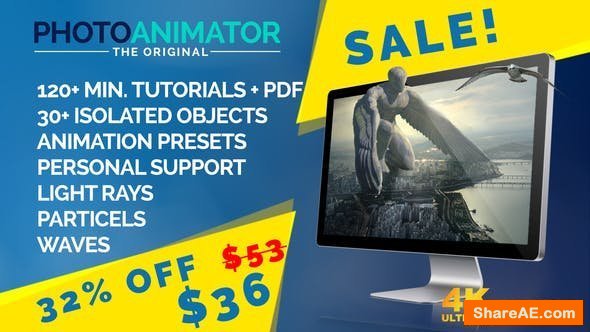
Photo Animator V6 12972961 Videohive - Free Download After Effects Template
After Effects Version CC 2015, CC 2014, CC, CS6, CS5.5, CS5, CS4 | 3840x2160 | No Plugin | 1.4 Gb
As many of us often do, we get into the situation that we need to implement photos into a video (documentary, image film, reportage,... you name it) The easy way of doing this is to simply zoom into the photo or pan over it. If you want to give your photos more “life” you begin to draw masks and animate single parts of the picture to give the illusion of some camera movement. This can be very time consuming. So I started to build a tool wich helps me do this and cuts the time doing so tremendously. I have been using and improving it for half a year now and it has already saved me so much time. I figured it is ready for me to share it and make it available to you.
This is what you can do:
Define a mask (often a simple & quick rough mask will work perfectly)
8 layers will be generated from this mask
Set the layer size
You can pull the layers in two different ways at the same time: 1) The weighting is more defined at the outside layers 2) The weighting is more defined on the inside layers
Push camera or object in & out
Pull focus (between innermost and outermost layer)
Activate “Visual Help Mode” to make adjustments easily visible
Activate “Magic Layer Connection” to connect layers so there is a minimum of artifacts (only with extreme movements artifacts will become visible)
A variety of resolution presets for all purposes. FullHD, 4K/UHD and all standard formats for Instagram
Single animation length: up to 20 seconds
Brand New Feature “Light Rays”:
Set the origin point of the light source
Parent the light source to your background layer (great for cinemagraph )
Adjust the color
Define the size of the light source
Manipulate the intensity and fall off of the light
Huge Upgrade to Objects functionality:
Turn Objects and Plates into 3D objects
Depth maps can be made in Photoshop or automatically created
Exclusive Objects Library:
Over 30 detailed isolated objects included
birds
branches
fireworks
trees
plants
smoke
rain
and many more
Place objects within a scenery:
Mask an Object in the picture and get control over it
Add plates at any layer and get control over it as well
Move Object/plate
Move with weighting on inner parts of objects/plates to give impression of turning the object/plate
Turn all Objects simultaneously with one global turn picker
Add wind and waves to your composition:
Draw two masks for wind area and wave area
Set horizon, wave base and camera angle to blend wave area with photo
Specify count, speed and height of waves
Define size, amount and speed of wind turbulence
Dust Particle System, Text-Placeholder, Advanced functions:
Create dust particles and edit their size, amount, shape, color, speed and depth
Place your Text or Logo in the Animation and decide for depth in picture (will be affected by camera blur and movement)
Advanced masking: You can now add masks to every layer individually. This means you can draw masks and decide what parts of the photo belong to which layers.
Advanced Layer Rig: The Photo Animator contains a very advanced Layer Rig. As you can read above, you can shift focus, move layers with different weighting, move into the photo and more. Even though you don’t need plates to get good results, you sometimes want or have to use them. So now you can use this advanced layer rig for your own plates. This makes animating your plates super simple.
Start Script to easily apply Animation Presets:
Choose from 13 different moves
All moves loopable
Reverse the Movement
Decide on the intensity and focus-shift
Adjust the length of animation
Set Ease-in or Ease-out
Added waves move automatically at the right speed for perfect loops or cinemagraphs
Click “create Animation” and you’re ready to render
Please keep in mind that this is not a “magical wizard tool” but a great aid for professionals and hobbyists alike. There will be some kinds of photos which will work better then others. Especially photos with many objects in the foreground and background, like a gallery opening for example, are more difficult. Also flat photos without depth, like an object right in front of a wall, don’t give much of a 3D effect. But for most of the photos I have tried it on, it works great.
What you get:
Photo Animator V6 After Effects CS4 project file (Will work with Adobe After Effects CS4 and higher, no plug-ins needed)
Photo Animator V6 Script-file
over 120 minutes of video Tutorial (some with project files)
PDF document with the controls explained (6 Pages)
Over 30 detailed isolated objects
No music included. The epic music from the promo trailer is available here.

TO WIN USERS: If password doesn't work, use this archive program: WINRAR 5.50 and extract password protected files without error.
3d, animation, animator, camera, layers, mask, morph, moving, parallax, perspective, photo, picture, stylish, video, warp, Videohive
Related Posts
-
 Videohive Drone 3D Model Free Movement Complete Pack 35216524
Drone 3D Model Free Movement Complete Pack 35216524 Videohive - VIP After Effects Template...
Videohive Drone 3D Model Free Movement Complete Pack 35216524
Drone 3D Model Free Movement Complete Pack 35216524 Videohive - VIP After Effects Template...
-
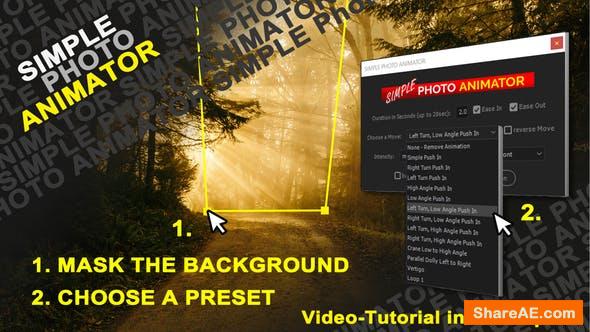 Videohive Simple Photo Animator 26668218
Simple Photo Animator 26668218 Videohive - Free Download After Effects Template After...
Videohive Simple Photo Animator 26668218
Simple Photo Animator 26668218 Videohive - Free Download After Effects Template After...
-
 Videohive Photo Animator
Photo Animator 19733214 Videohive - Free Download After Effects Template After Effects...
Videohive Photo Animator
Photo Animator 19733214 Videohive - Free Download After Effects Template After Effects...
-
 40+ Video Effects & Transitions - Adobe Premiere Pro Preset Pack
Premium 40+ Video Effects & Transitions - Adobe Premiere Pro Preset Pack 40+ Creative...
40+ Video Effects & Transitions - Adobe Premiere Pro Preset Pack
Premium 40+ Video Effects & Transitions - Adobe Premiere Pro Preset Pack 40+ Creative...
-
 Videohive Photomotion X - Biggest Photo Animation Toolkit (5 in 1) V10.3.2
Photomotion X - Biggest Photo Animation Toolkit (5 in 1) V10.3.2 13922688...
Videohive Photomotion X - Biggest Photo Animation Toolkit (5 in 1) V10.3.2
Photomotion X - Biggest Photo Animation Toolkit (5 in 1) V10.3.2 13922688...